
Download Verba – Word Game, Vocabulary Builder, Educational Game
Overview
Verba is a straightforward educational game crafted to enhance vocabulary acquisition through engaging word formation challenges. Designed for learners of all ages, the app presents players with a set of on-screen letters and tasks them with creating the longest possible valid words. Its core purpose lies in promoting language development, spelling accuracy, and cognitive flexibility. The game serves as a valuable tool for students, educators, and casual learners seeking a fun and interactive way to expand their lexicon.
Verba addresses a common challenge in language learning: the difficulty of retaining new vocabulary in a meaningful way. By transforming word discovery into a game, it increases engagement and reinforces memory through active participation. The app is particularly useful in classroom settings, homeschooling environments, or family game nights where language skills are being developed. Its reliance on Microsoft Word’s spell-check system ensures that only correctly spelled words are accepted, adding a layer of authenticity and precision to the gameplay.
Developed by Verba, LLC, the app has been available since March 10, 2011, reflecting a long-standing commitment to educational utility. While the developer did not provide additional technical details, the app’s enduring presence suggests consistent functionality and user appeal. Verba fits within the broader ecosystem of educational tools by offering a lightweight, focused experience that complements more comprehensive language learning platforms.
Key Features & Functionality
- Word Formation Challenge: Players must create the longest possible words from a randomly generated set of letters displayed on-screen. This mechanic encourages strategic thinking and word recall.
- Spelling Validation via Microsoft Word: The game uses Microsoft Word’s built-in spell-check engine to verify word validity, ensuring only correctly spelled words are accepted. This integration adds authenticity and educational rigor.
- Progressive Cognitive Engagement: The game challenges users to think beyond common words, pushing them to explore less familiar vocabulary and improve their spelling confidence.
- Simple, Intuitive Gameplay: With no complex rules or tutorials, users can begin playing immediately, making it accessible to children and adults alike.
- Family-Friendly Learning Environment: The game’s age-neutral design makes it suitable for group play, fostering shared learning experiences across generations.
For example, a player might be given the letters W, R, O, D, S, E, T and form the word “wordset” or “towser”, both of which are valid if recognized by Word. This real-time validation reinforces correct spelling habits and encourages exploration of new lexical combinations. The game is especially effective for learners preparing for standardized tests, language exams, or simply seeking to improve daily communication skills.
Interface, UX & Performance
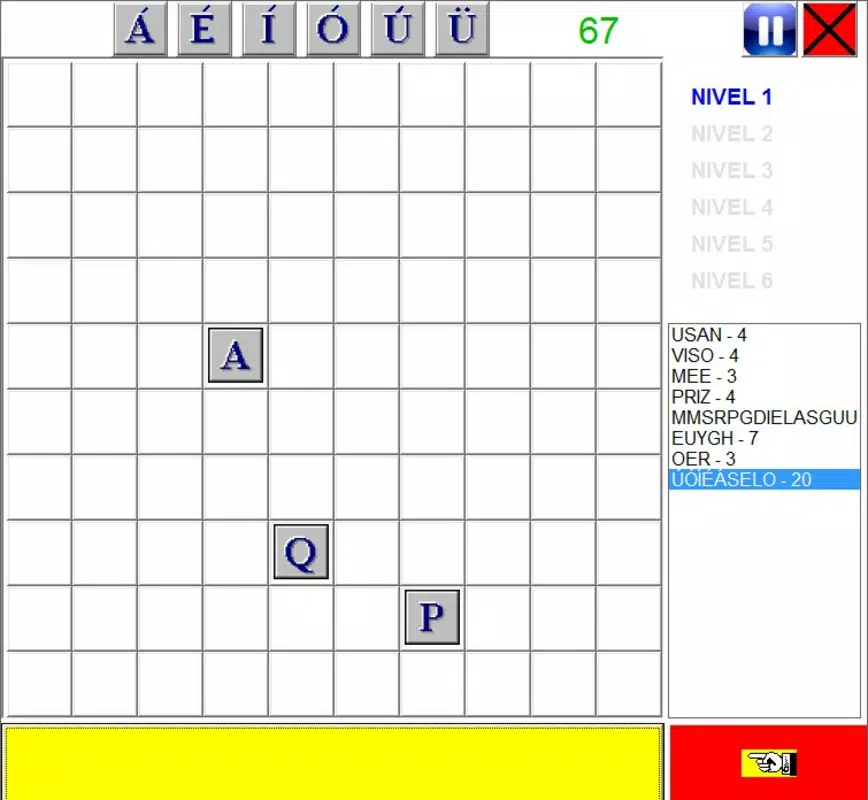
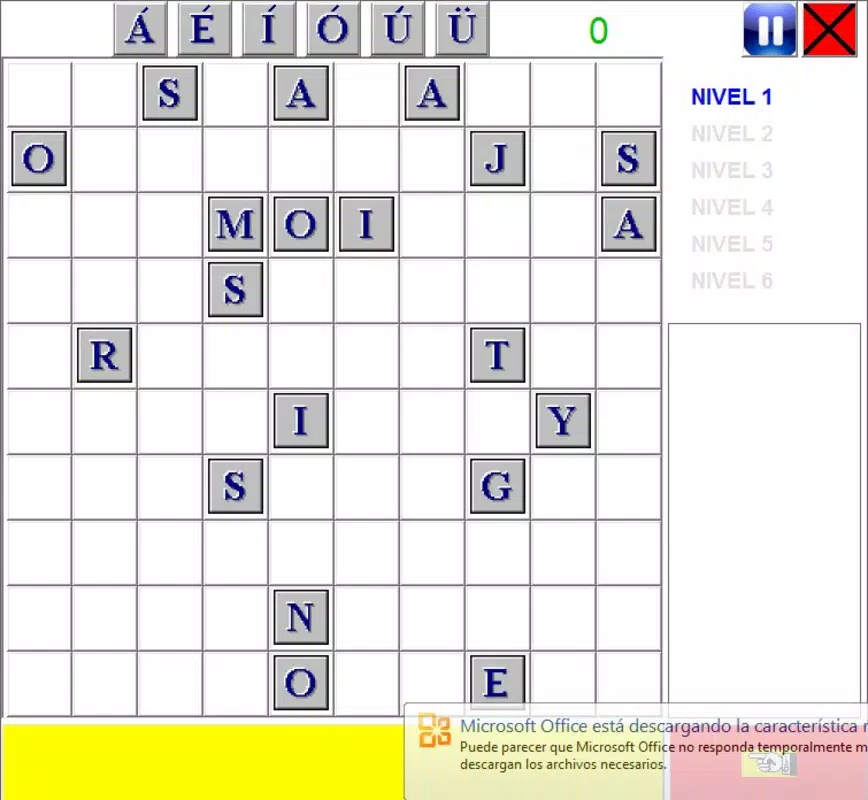
Verba features a clean, minimalist interface that prioritizes functionality over visual flair. The layout centers around the on-screen letter grid, with a clear input field and real-time feedback on word validity. Navigation is intuitive, requiring minimal interaction to start playing. The design avoids clutter, allowing users to focus on word formation without distraction.
Although the developer did not list formal performance metrics, the app’s lightweight file size of 2.4 MB suggests efficient resource usage. It is likely to run smoothly on a wide range of Windows systems, including older or lower-spec devices. The responsiveness of the interface appears consistent with its age and design philosophy, with minimal lag during word input and validation.
Stability is implied by the app’s long availability since 2011, though specific crash reports or update logs were not provided. Users should expect a stable experience under normal conditions, though compatibility may vary on newer Windows versions without proper legacy support. The app’s simplicity reduces the risk of interface glitches, contributing to a reliable user experience.
Platform Compatibility & Technical Requirements
Verba is designed for the Windows platform and requires Microsoft Word to be installed on the user’s computer to function. The app’s file size is 2.4 MB, making it a lightweight download suitable for systems with limited storage. The software version is 1.0.0, indicating a stable, finalized release with no known development updates.
The developer did not specify minimum OS requirements or compatibility details beyond the platform. As such, users should ensure that their Windows system supports legacy applications and has Microsoft Word installed. The app may not be compatible with newer Windows versions or non-Windows operating systems. Specific requirements were not listed.
Pros and Cons
Pros
- Free to download and use, making it accessible to a wide audience.
- Encourages vocabulary growth through interactive gameplay.
- Uses Microsoft Word’s spell-check for accurate word validation.
- Simple interface with a low learning curve.
- Appeals to both children and adults, suitable for family or classroom use.
Cons
- Requires Microsoft Word to be installed, limiting accessibility.
- Platform is restricted to Windows only.
- No recent updates since 2011; may lack compatibility with modern systems.
- Minimal visual or interactive enhancements.
- Not available on mobile platforms such as Android or iOS.
FAQ
Is Verba free to use?
Yes, Verba is available at no cost. The app does not require a purchase or subscription to access its core features.
Does Verba work without Microsoft Word?
No. The game relies on Microsoft Word’s spell-check system to validate words. Without Word installed, the app cannot function as intended.
Can I play Verba on Android or iOS?
Currently, Verba is only available for Windows. There is no official version for Android or iOS devices.
Is Verba safe to download?
Yes, Verba is a legitimate educational tool developed by Verba, LLC. As a free, lightweight app with no known malware, it is considered safe for users who meet the system requirements.
How often is Verba updated?
The last known version was released in 2011. The developer has not released any updates since then, so the app remains unchanged in functionality and design.
Final Thoughts
Verba stands out as a niche yet effective educational tool that combines language learning with interactive gameplay. Its unique integration with Microsoft Word provides a reliable method for validating spelling, making it a trustworthy resource for learners. While its age and platform limitations are notable drawbacks, its simplicity and focus on vocabulary building remain relevant.
Students, educators, and families seeking a low-tech, high-impact way to improve word recognition and spelling will find value in Verba. It’s particularly useful in environments where access to modern apps is limited or where a no-frills approach to learning is preferred.
Despite its outdated status, the app continues to serve its purpose well. For those with a Windows PC and Microsoft Word, it offers a free, engaging way to sharpen language skills.
Download Verba now


